Improvement
Where to Play Chess Online for Free
The best free chess sites and apps for beginners — compare Chess.com, Lichess, and others to find where to start playing today.
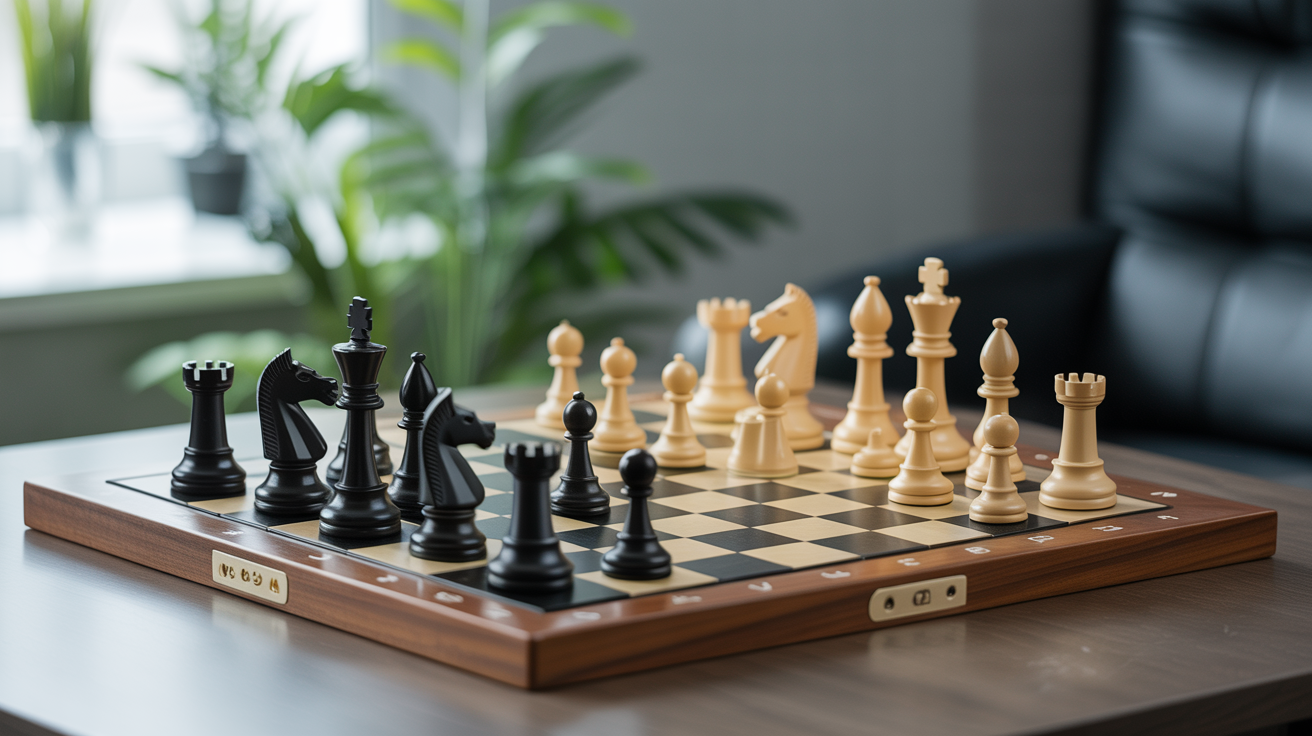
If you want to play chess online for free, you have two strong options that cover nearly every need: Chess.com and Lichess. Both let you play against humans or computers at any hour, track your games, and work on tactics — all without paying a cent.
The harder question isn't where to play; it's which site fits how you learn. This guide breaks down what each platform does well, so you can pick one and get moving rather than bouncing between tabs.
Chess.com vs Lichess: The Short Version
Both sites are free to use for unlimited games. Here's a side-by-side look at what matters most for a beginner:
| Feature | Chess.com (free) | Lichess (100% free) |
|---|---|---|
| Play vs humans | Yes | Yes |
| Play vs computer | Yes (limited levels free) | Yes (all levels free) |
| Tactics puzzles | Limited per day | Unlimited |
| Game analysis | Limited (basic) | Full computer analysis, free |
| Lessons / courses | Some free, many paid | Fully free |
| Mobile app | Yes (iOS + Android) | Yes (iOS + Android) |
| Account required | Yes | Optional (can play as guest) |
Lichess is fully open-source and free with no paywalls anywhere. Chess.com is freemium: the free tier is generous but puts a daily cap on puzzles and reserves deeper features for paying members.
For pure budget play, Lichess wins outright. Chess.com's free tier still works fine for casual games and getting started.
Chess.com: The Bigger Community
Chess.com has more active players than any other chess site, which means shorter wait times for games at nearly any time of day or night. At the beginner rating range (roughly 400 to 800), you'll find opponents immediately regardless of time zone.
The free account lets you:
- Play unlimited games (bullet, blitz, rapid, and daily correspondence)
- Solve up to 5 tactics puzzles per day
- Access a handful of beginner video lessons
- Use the basic game review feature (it highlights blunders and shows the best move)
The interface is polished, and the mobile app is one of the better chess apps available. If you're drawn to a large community, tournaments, and a social feed showing what grandmasters are doing, Chess.com is the natural home.
One thing to know: the free puzzle limit resets at midnight. If you want to do 30 puzzles a day without paying, Lichess is the better fit for that habit.
Lichess: Everything Free, No Exceptions
Lichess (lichess.org) is run as a nonprofit and has no premium tier. Every feature the site offers is available to every user at no cost. That includes:
- Unlimited tactics puzzles
- Full computer analysis of every game you play
- Coordinate training (great for memorizing the board)
- Endgame practice tools
- Opening explorer backed by a large database
- A study tool for building your own annotated lesson boards
The site has fewer players than Chess.com overall, but the beginner pool is active enough that games happen quickly. The interface is slightly more utilitarian, but it's clean and fast.
If you're following a structured improvement plan and want to run as many puzzles as possible each day, start here. The free game analysis alone saves you from needing a separate tool to review your games.
Other Options Worth Knowing
Chess Kids
ChessKid.com is Chess.com's dedicated platform for younger players. The environment is moderated and safe, and the lessons are designed to explain rules in plain language. If you're helping a child learn, it's the cleanest starting point.
Internet Chess Club (ICC)
ICC is one of the oldest online chess servers and skews toward more competitive players. It has a free trial period, then charges a subscription. Most beginners don't need it — Chess.com and Lichess cover the same ground without cost.
Chess Tempo
Chess Tempo (chesstempo.com) isn't primarily a place to play games; it specializes in tactics training. The free account gives you access to a large puzzle bank. It's a useful supplement if you want a second puzzle source, but you'll still need Chess.com or Lichess for actual games. If you're interested in the best way to practice chess tactics with puzzles, Chess Tempo is worth bookmarking alongside your main site.
Picking Your Time Controls
Whether you use Chess.com or Lichess, you'll need to choose a time control before each game. For beginners, the options can feel overwhelming at first.
Here's a simple breakdown:
| Time Control | Total Time | Good For |
|---|---|---|
| Bullet (1+0, 2+1) | Under 3 min | Not recommended to start |
| Blitz (3+2, 5+0) | 3–5 min | Fun once you know the moves |
| Rapid (10+0, 15+10) | 10–15 min | Best for beginners |
| Daily (1–3 days/move) | Days per move | Learning openings carefully |
Start with 10-minute rapid games. At that pace, you have time to think about each move without the clock becoming a distraction. Bullet chess (1 or 2 minutes total) is fine entertainment once you're comfortable, but it rewards pattern recognition speed over actual chess understanding. Playing bullet too early can build bad reflexes.
If you want to study your games afterward, which ties directly into how to get better at chess, rapid gives you enough time to form real thoughts during the game so the review is meaningful.
Setting Up for Good Habits
A few practical tips once you've picked a site:
Create an account, even if the site allows guest play. Your rating history and game archive are what let you track progress. Without an account, past games disappear.
Turn on move confirmation in settings. Both sites offer this. It prevents the classic beginner mistake of clicking the wrong square by accident and losing a piece to a misclick rather than a blunder.
Review at least one game per session. After you finish a game, click through the computer analysis. You don't need to understand every suggestion — just look for the move where the evaluation bar swung sharply against you. That's the mistake worth thinking about.
Explore the coordinate trainer on Lichess. Being able to name any square on the board without hesitating is a small skill that pays off when you start reading chess notation and following game annotations. The trainer on Lichess (under Tools > Coordinate Training) turns it into a speed game.
FAQ
Do I need to pay anything to play chess online?
No. Both Chess.com (free tier) and Lichess give you unlimited games against human opponents without any payment. Lichess has no paid tier at all. Chess.com charges for some features like extra daily puzzles and detailed lessons, but you can play freely indefinitely.
Which is better for a complete beginner, Chess.com or Lichess?
Either works. Chess.com has more hand-holding in its interface and a slightly cleaner beginner experience. Lichess gives you more free features and no daily limits. A reasonable approach: try both for a week and see which feels more natural. Most players settle on one main site and stick with it.
Can I play chess on my phone for free?
Yes. Both Chess.com and Lichess have free iOS and Android apps. The Lichess app in particular is well-regarded and has no in-app purchases or locked features.
Is playing against the computer useful for beginners?
It depends on the level. Playing the computer on a very low setting (Lichess lets you set the engine strength from 1 to 8 on a rough scale) can help you practice without the pressure of a human opponent watching. Just know that computer games don't train you to handle the unpredictable moves real humans make. Mix computer play with human games.
How do I know if my online rating is accurate?
Online ratings vary by site and time control. A 600 rapid rating on Chess.com and a 600 rapid rating on Lichess don't mean exactly the same thing (Lichess ratings tend to run slightly higher). Neither number matters much at the beginner stage. What matters is whether it's moving in the right direction over time, which you can see in the rating history graph in your profile.